Making a custom Gridfinity insert was taking me an hour. For a bin that might not even fit.
So I built Snapfinity. Photograph any object on the provided calibration board — computer vision measures it and generates a perfect-fit storage insert in STL, STEP and 3MF. No calipers. No CAD. First print fits.
🛡 3-day money-back. One email. No questions asked.
01
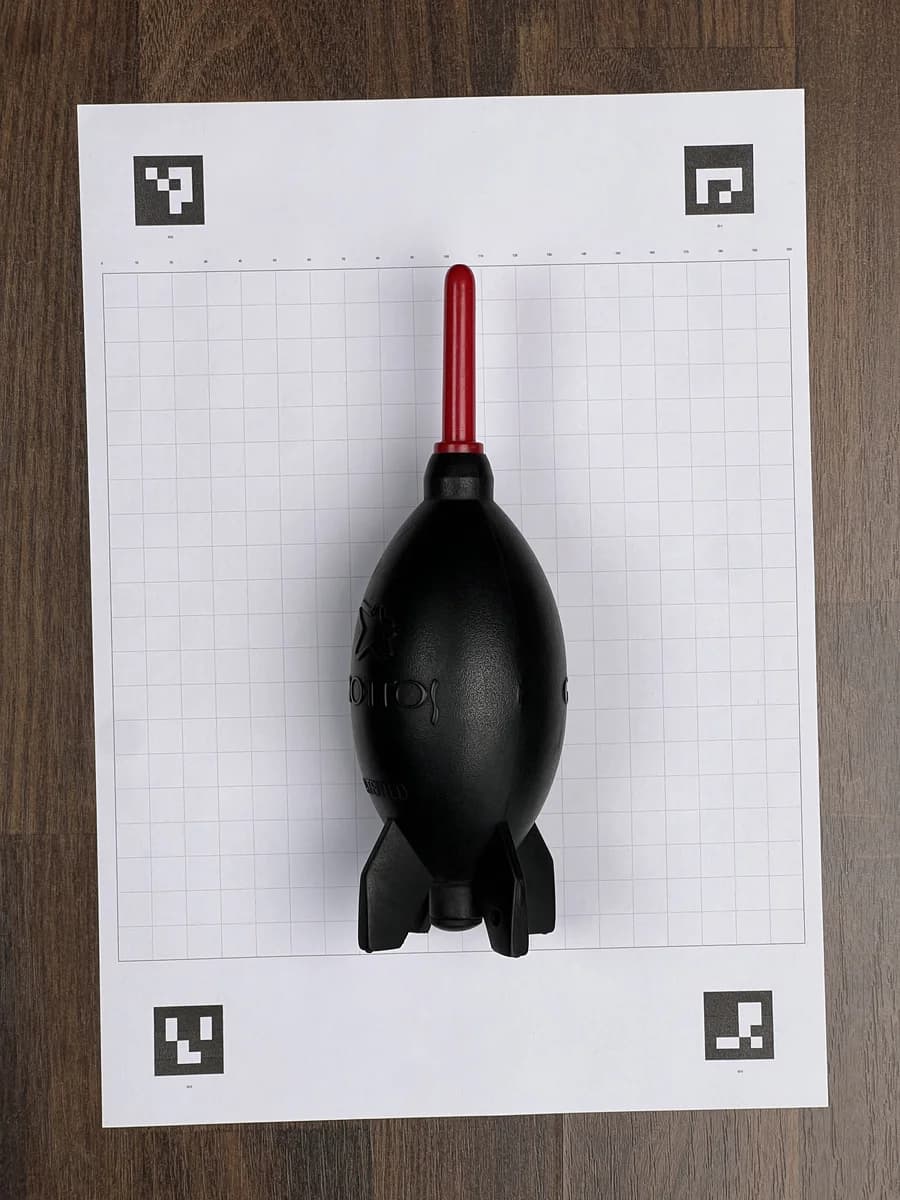
Photograph
Object on the provided calibration board
02
Measure
Computer vision reads dimensions
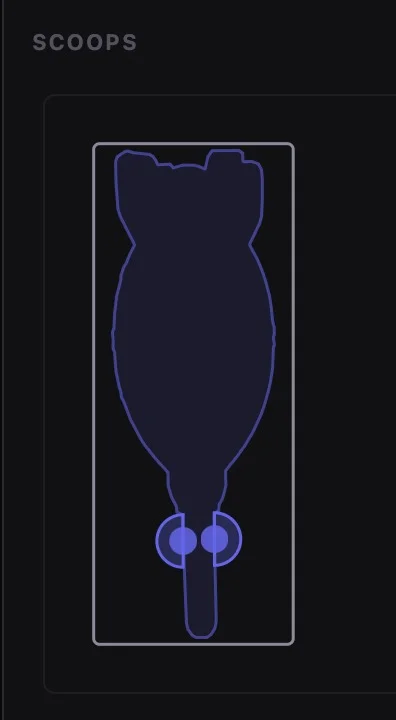
03
Generate
Custom Gridfinity bin built
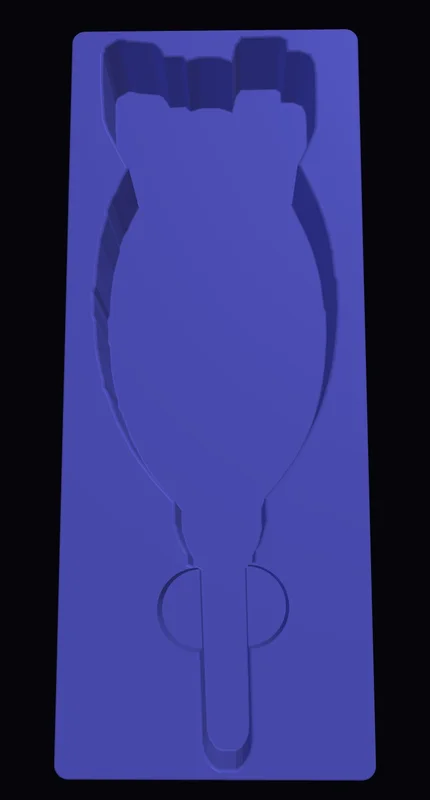
04
STL / STEP / 3MF ready
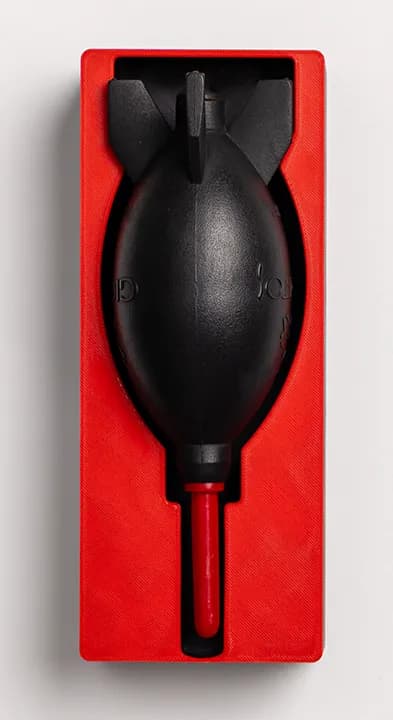
The hard way was costing me an hour. Per bin.
Calipers. Fusion 360. Model the pocket. Export. Slice. Print. Discover the bin doesn't fit. Adjust. Reprint. That was the workflow for every single object I wanted to store in my Gridfinity system.
Gridfinity's whole point is to organise fast. A custom insert should take minutes, not an afternoon. So I built Snapfinity — photograph the object, get the bin.
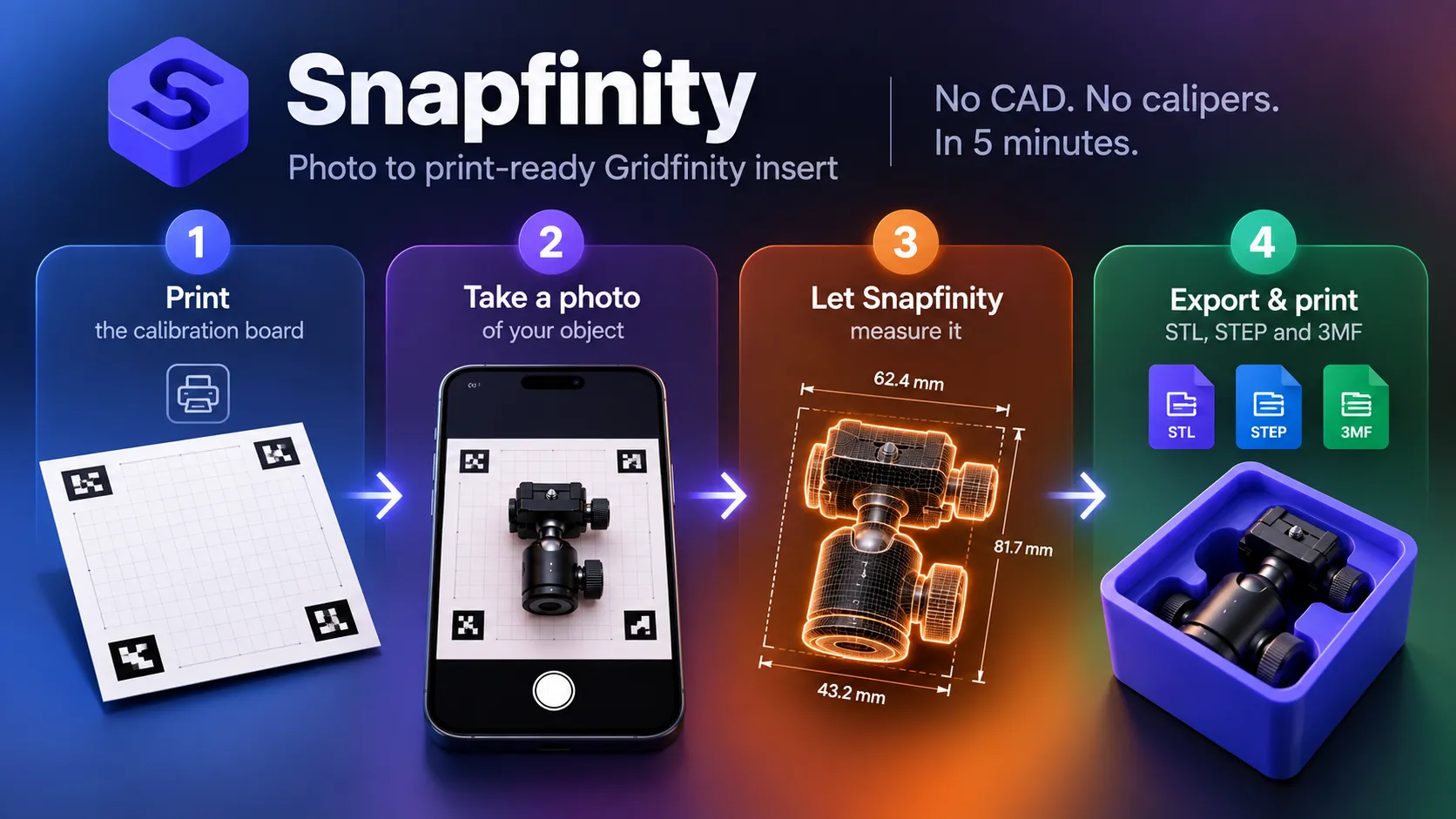
From photo to print
What Snapfinity actually does, step by step.
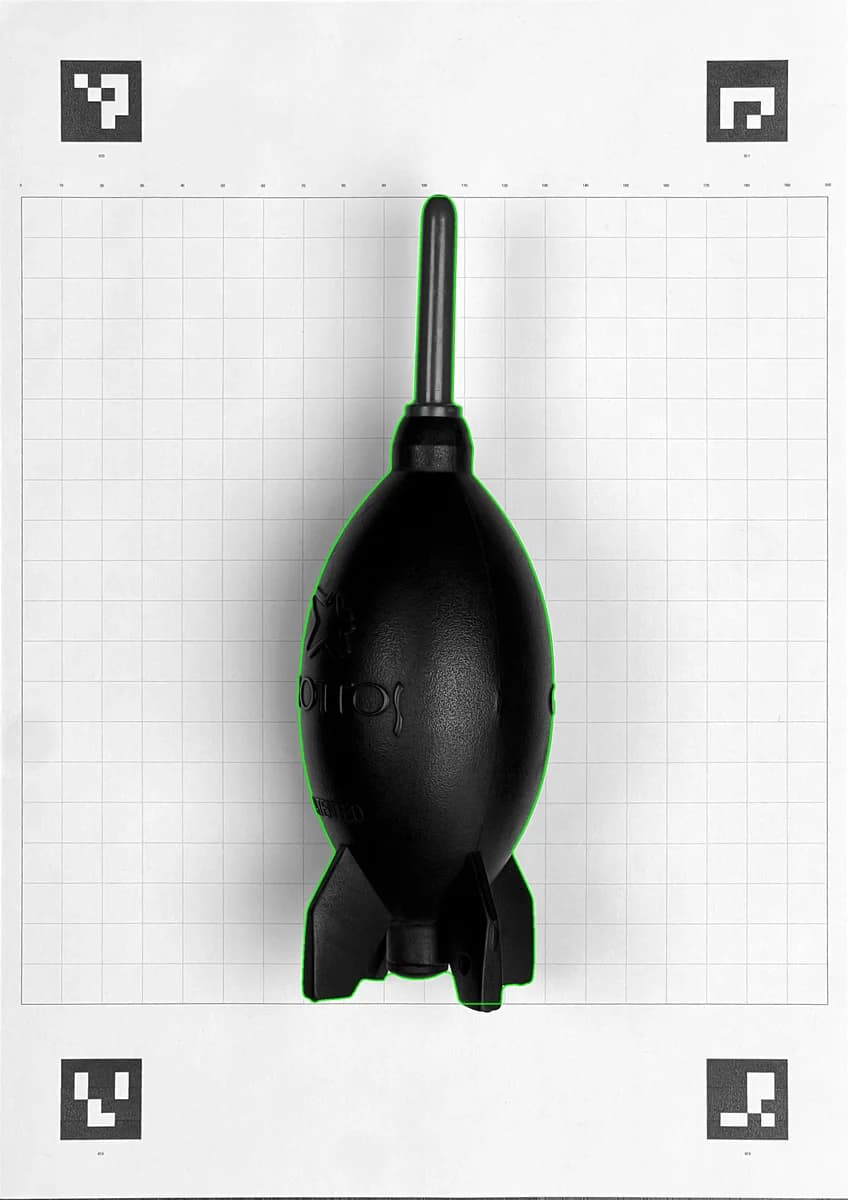
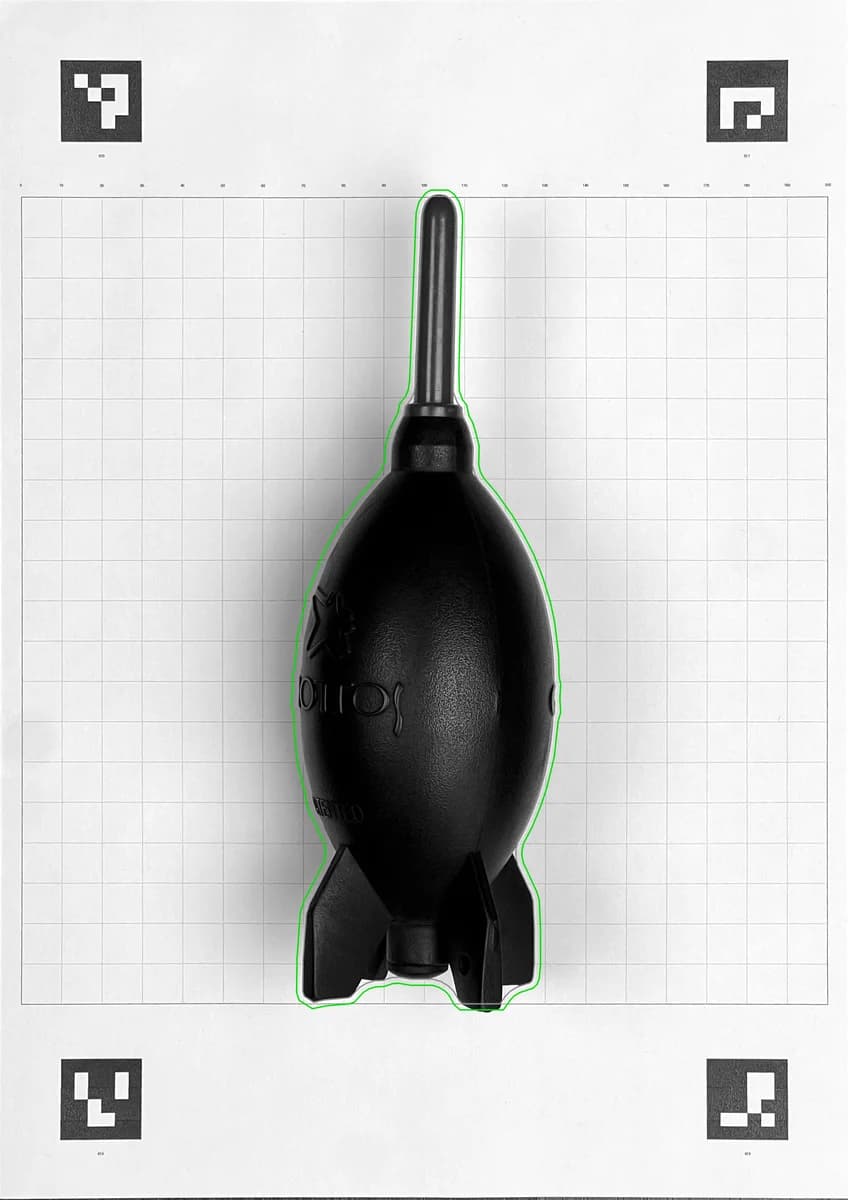
See it in action
IKEA drawer going from empty grid to fully organised bins.
How Snapfinity Works
Four steps. Bin in the printer.
01
Place your object on the calibration board
Print the provided A4 calibration board at 100% scale. Place it flat on a table. Set your object on it.
02
Photograph from one to four angles
A single top photo is enough for Quick Capture. For full 3D measurement, add a side and front shot too. Any camera works — including your phone.
03
Generate the insert
Create a project in Snapfinity, upload your photos and click Generate. Computer vision measures the object and builds the Gridfinity bin.
04
Print and store
Open the STL or 3MF in your slicer, print it and drop the insert into your Gridfinity system.
What Snapfinity Does
Photo-Based Measurement
Place your object on the provided calibration board and take 1–4 photos. Snapfinity reads the board's known dimensions to calculate width, height and depth — no calipers required.
Shaped to Your Object
The pocket follows the actual outline of your object — not a bounding box rectangle. Tools, cables, remotes, controllers — the shape in the bin matches the shape in your hand.
Gridfinity Compatible
Output is a standard Gridfinity bin shell with a fitted pocket shaped to your object. Works with any Gridfinity-compatible drawer, tray or wall panel.
STEP, STL and 3MF Export
Export in all three formats. STL for slicers, STEP for CAD editing, 3MF with print settings embedded.
Finger Scoops and Labels
Add a label shelf and finger scoops so removing the insert is effortless. Position scoops exactly where they work best for your object.
Quick Capture Mode
For flat or rectangular objects, top-only capture with a manual depth entry gets you a printable bin in under a minute.
Fully Local
All processing runs on your computer. Your photos never leave your machine.
Multiple Objects, One Photo
Place several objects on the calibration board at once. Snapfinity detects each one separately and generates an individual pocket for every object in the frame.
Lifetime Licence
$9.99 once. No subscription, no renewal, no price increases. Buy it and use it forever.
The pocket matches the shape — not just the bounding box.
Most DIY inserts are rectangles. Snapfinity traces the actual outline of your object using computer vision and builds the pocket to that shape. A screwdriver, a remote, an oddly shaped cable — the insert holds it the way it actually sits.
Frequently Asked Questions
How accurate is the measurement?
Typically within 1–2 mm, which is well within Gridfinity pocket tolerances. Snapfinity adds a configurable clearance gap (default 0.5 mm) so the insert fits without force. Irregular or highly reflective objects may need the clearance adjusted.
Do I need a special camera?
No. A smartphone camera works well. The calibration board's known marker positions are what Snapfinity uses to calculate real-world dimensions — camera quality matters far less than board flatness and consistent lighting.
Does it need an internet connection?
Not for generating bins. Snapfinity runs entirely locally. An internet connection is only needed at first install and for optional version-check notifications.
What slicers and printers work with it?
Any FDM printer and slicer that accepts STL or 3MF files. Bambu Studio, Orca, PrusaSlicer, Cura — all work fine. Snapfinity outputs standard geometry with no proprietary format.
What is Gridfinity?
Gridfinity is an open-source modular storage system designed by Zack Freedman. Bins snap into a base grid and can be arranged in drawers, cabinets or on workbenches. Snapfinity generates bins that fit into any standard Gridfinity base.
What's the difference between Quick Capture and full capture?
Full capture uses top, side and front photos to build a 3D measurement of your object — height is read from the photos. Quick Capture uses a top-only photo and asks you to type the height manually. It's faster and works well for flat or simple objects.
Can I edit the generated STL in CAD before printing?
Yes. Snapfinity also exports STEP, which is the editable format. Open it in Fusion 360, FreeCAD, Onshape or any STEP-compatible CAD tool to adjust the pocket, add features or change bin dimensions.
What if my object has an irregular shape?
Snapfinity traces the actual outline of your object from the photos using computer vision. The pocket is shaped to that outline — not a simple rectangle. Works well for tools, cables, remotes, controllers and most workshop items.
Can I photograph multiple objects at once?
Yes. Place several objects on the calibration board in a single photo and Snapfinity detects each one individually, generating a separate pocket for every object in the frame. Useful when you want to fill a whole drawer in one session.
Does it work on Mac and Windows?
Yes. One purchase covers both platforms.
Photograph it. Generate it. Print it.
$9.99 and your Gridfinity drawer fills itself.
One-time purchase · Mac + Windows · Fully local
Questions? Email support@drrave.com
More tools from DrRave