My rough cut was eating away 2 hours of every edit.
So I built RoughCut. It transcribes your footage, matches your script, and builds your timeline automatically — so you can focus on what actually makes the video good.
$50 · One-time purchase · No subscription
Buy RoughCut — $50🛡 3-day money-back. One email. No questions asked.
10 min
vs 4–8 hours manually
0 clicks
fully automated
106 clips
processed
The RoughCut Workflow
This is what the 2 hours used to look like. Now it's four steps.
FOOTAGE
Import your clips, and audio into Resolve.
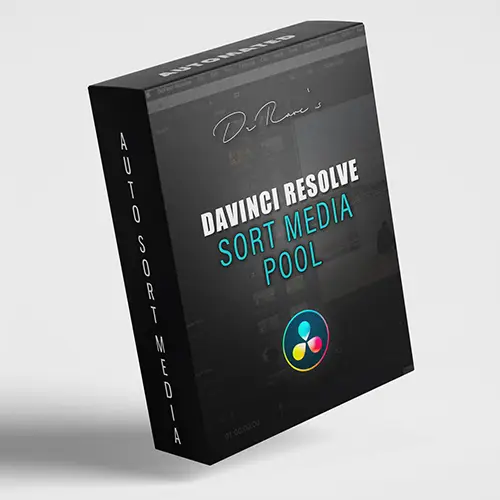
SORT MEDIA POOL
Organise and label your clips in the Media Pool.
ROUGHCUT
Run RoughCut to match your script, select best takes, stack alternatives, and mark key moments.
CREATIVE EDIT
Focus on the creative edit — B-roll, music, graphics, and more.
FINAL VIDEO
Polish your story and deliver your best work.
Watch it build a timeline in minutes
What editors are saying
I script every video before I shoot. RoughCut takes that script and builds the timeline for me — I went from spending 2 hours on assembly to about 10 minutes. Now I just open Resolve and start the real edit.
Alfonso Ruoo
YouTuber · Scripts his videos and publishes weekly
I edit interviews full-time — multiple projects a day. RoughCut cuts my assembly time in half. V1 usually nails the best take perfectly, alternatives stacked and ready just in case. I don't touch the media pool anymore.
Nick Ramos
Professional Video Editor · Edits interviews full-time, multiple projects daily
RoughCut built my timeline before I even sat down to edit. Genuinely changed how I start every video.
Michael Ogden
YouTuber
I was skeptical but it just works. Script goes in, timeline comes out. Saves me an hour every single time.
Sebastian Kuntz
Editor
Get RoughCut
$50 one-time. No subscription.
4–8 hours of manual assembly per edit. RoughCut pays for itself on the first video.
🛡 3-day money-back. One email. No questions asked.
✓ Instant download after purchase · ✓ License email sent immediately · ✓ Support at support@drrave.com
- ✓ Mac + Windows — one purchase, both platforms
- ✓ License works on up to 2 devices
- ✓ One-time payment, no recurring fees
- ✓ Requires DaVinci Resolve Studio
🔒 macOS requirements: Requires DaVinci Resolve Studio 21.0.2 or later. Before running the installer, download and install Python 3.12 from python.org — Homebrew or Anaconda Python will not work with Resolve. If macOS blocks the installer, go to System Settings → Privacy & Security → scroll down → click Open Anyway.
What RoughCut Builds For You
An edit-ready timeline. Built in minutes.
On-Script
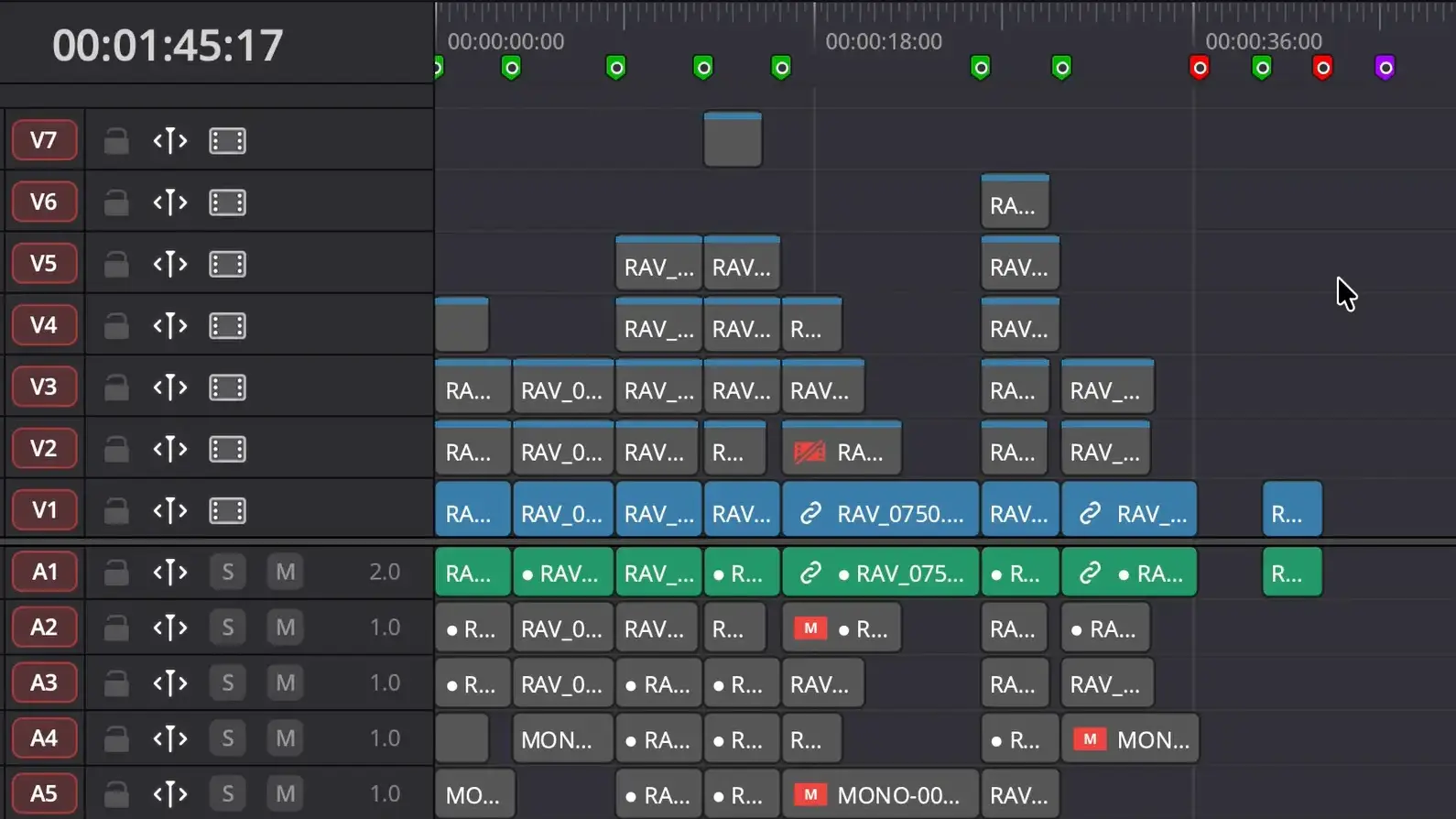
Green markers show script matched
Off-Script
Red markers flag missing script
Best Take on V1
Strongest take automatically selected
Alternatives Stacked
All other takes stacked on V2 onwards
Four steps. Then it's done.
How RoughCut works in DaVinci Resolve.
01
Organise your Media Pool
Import your footage into DaVinci Resolve as you normally would. Sort Media Pool can organise bins by camera first if needed.
02
Add your shooting script
Paste or import the script you shot from. RoughCut uses it as the blueprint for your timeline.
03
RoughCut transcribes everything
AI transcribes every clip locally — fast, accurate, no internet upload required. Your footage never leaves your machine.
04
Timeline built automatically
Best takes land on V1. Alternatives stacked on V2 onwards. Green markers for on-script, orange for off-script. Open Resolve and start your creative edit.
The rough cut is the least creative part of editing. Stop doing it manually.
Import your footage.
Add your script.
Let RoughCut build the first version.
✓ Instant download after purchase · ✓ License email sent immediately · ✓ 3-day money-back guarantee
What gets automated
Built because I needed it.
AI Transcription
Every clip is transcribed automatically. Runs entirely on your machine — no upload, no subscription, no internet needed.
Script Matching
Fuzzy matching finds the right take even with stumbles, restarts and ad-libs. Works with real-world footage.
Take Stacking
Best take on V1. All alternatives stacked on V2 onwards. Nothing is thrown away.
Smart Markers
Green markers confirm on-script sections. Orange markers flag improvised moments. Navigate your timeline instantly.
Runs Locally
Everything happens on your Mac or PC. No cloud upload, no subscription. Your footage never leaves your machine.
TXT & SRT Scripts
Your script can be a plain .txt file or an .srt subtitle file. No special format needed.
Watch How It Works
The DrRave Edit Workflow
Two tools that work together to automate everything before the creative edit.
Step 2
RoughCut
Build rough cut timeline
$50 one-timeStep 3
Creative Edit
Start where it matters
In DaVinci Resolve
Frequently Asked Questions
How do I get access to RoughCut?
Buy RoughCut at drrave.com/tools/roughcut for $50. Download and install on Mac or Windows — your license works on up to 2 devices.
What if I'm not happy with RoughCut?
3-day money-back guarantee. If RoughCut doesn't work for your workflow, email support@drrave.com within 3 days of purchase for a full refund. No questions asked.
How much does RoughCut cost?
$50 one-time purchase. No subscription, no recurring fees. Includes both Mac and Windows. License works on up to 2 devices.
What script format does RoughCut accept?
Plain text (.txt) with one sentence per line, or .srt subtitle files. Export your script from any writing app as .txt and you're ready.
Does it work with external audio recorders?
Yes — any external audio in your Media Pool works. WAV, MP3, AAC and more. Compatible with Rode, DJI, Zoom, Tascam and any recorder ffmpeg can read.
What footage does it support?
RoughCut works with any footage DaVinci Resolve can read — BRAW, ProRes, H.264, H.265, RAW formats, iPhone, drone footage and more. If it's in your Media Pool, RoughCut can use it.
Does it need an internet connection?
Only during installation — to download the AI transcription engine. After that everything runs locally on your Mac or PC. Your footage never leaves your machine. Mac users: Python 3.12 must be installed from python.org before running the installer — see the macOS requirements note above.
Is Sort Media Pool included with RoughCut?
Sort Media Pool is a separate free tool. RoughCut is a paid Mac + Windows tool, $50 one-time. Both tools work together as part of the DrRave edit workflow.
More time for color. More time for music. More time...
One-time purchase · Mac + Windows · 2 devices · No subscription
🛡 3-day money-back. One email. No questions asked.
✓ Instant download after purchase · ✓ License email sent immediately
Questions? Email support@drrave.com